Zapisz się do naszego newslettera
Podaj nam swój email, aby otrzymać ważne informacje wcześniej niż inni.
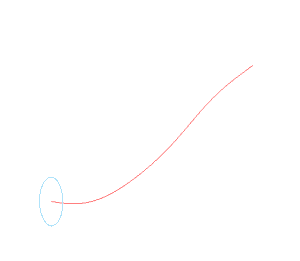
Ten skrypt tworzy płynną ścieżkę dla rury za pomocą szkicu 3D, następnie koło na jej końcu w celu zdefiniowania profilu do wyciągnięcia. Wyciągnięcie może być ukończone ręcznie.
# create the part and get the yz plane
MyPart = Part('Test')
YZPlane = MyPart.GetPlane('Płaszczyzna YZ')
# create the route for the pipe
PipeRoute = MyPart.Add3DSketch('Pipe Route')
PipeRoute.AddBspline([0, 0, 0, 5, 0, 0, 10, 5, 5, 15, 10, 5, 15, 15, 15])
# create the pipe profile as a circle on the yz plane
StartProfile = MyPart.AddSketch('Start Profile', YZPlane)
StartProfile.AddCircle(0, 0, 5, False)